How to add an AI chatbot to your website (that only answers from your content)
Only 27% of customers retry a chatbot after a bad answer (Gartner, 2026). Here's how to add an AI chatbot that answers only from your own website content.
Come integrare un chatbot AI nel sito web (che risponde solo con i contenuti del sito)
Putting a chatbot on your website takes an afternoon. Putting one there that never invents an answer takes four decisions.
In February 2024, a British Columbia tribunal ordered Air Canada to compensate a customer after the airline's website chatbot described a refund policy the airline didn't actually offer (American Bar Association, Business Law Today, 2024). Air Canada argued the bot was responsible for its own words. The tribunal disagreed. Whatever your chatbot says, your business said.
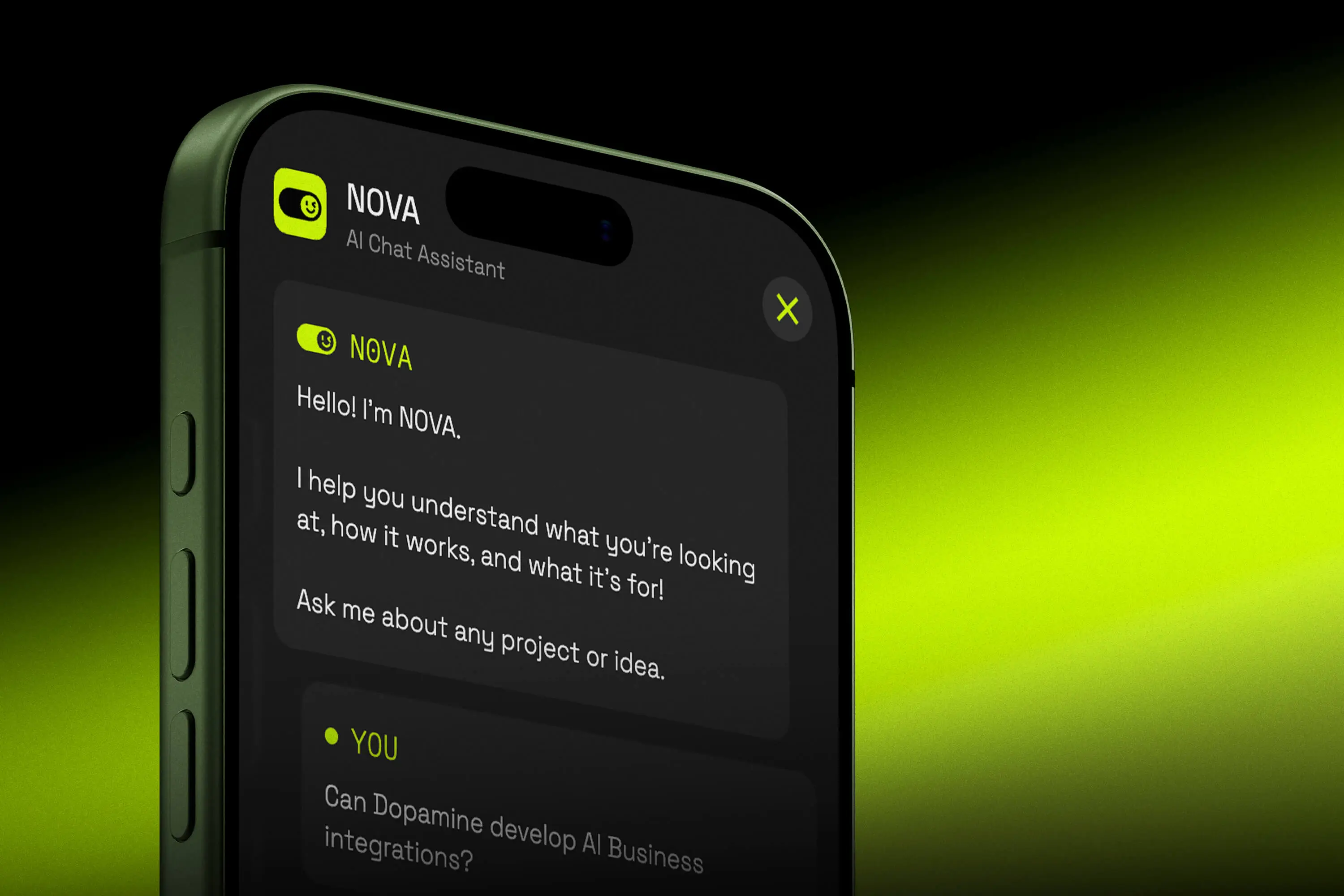
This guide covers the four steps that keep an AI assistant inside your own content. It's the method behind N0VA, the assistant that runs on our own site. AI Business Integration
How do you add an AI chatbot that only answers from your content?
You connect a language model to an index of your own pages. For every question, the system retrieves the passages that match and the model answers from those passages only, or says it can't. The method is called retrieval-augmented generation (RAG), formalized in 2020 by researchers at Facebook AI Research (Lewis et al., arXiv, 2020).
On a real website, that comes down to four steps:
- Scope it. Decide which questions the chatbot is allowed to answer.
- Prepare the content. Clean up the pages it will read from.
- Build retrieval and a refusal rule. Give it your passages, and a written rule for when they run out.
- Install and test. Add the script to your site, then try to break it before a visitor does.
The second branch of that diagram is where most chatbots fail. Any model sounds confident when it has the answer. The design work goes into what happens when it doesn't.
A website chatbot that only answers from your content uses retrieval-augmented generation, a method described by Lewis et al. in 2020. For each visitor question, it retrieves matching passages from the company's own indexed pages and answers from them. When the passages don't contain the answer, it declines and hands the visitor to a person.
Step 1: What should your chatbot be allowed to answer?
Less than you think. In 2026, a Gartner survey of 3,566 customers found that 49% would use a chatbot if a company offered one, while only 27% would try a chatbot again after a negative experience (Gartner, Q&A with Eric Keller, September 2026). One bad answer can cost you the visitor's next question.
Gartner's advice to service leaders follows from those numbers: favor reliability over reach. Start with a targeted set of questions the bot answers well, and widen the scope only once it performs.
For a business website, scoping starts with a list. Write down 20 to 40 questions real people ask you, pulled from your inbox and your sales calls. Then sort them into two groups.
- In scope: anything your pages already state. Services, process, shipping, policies, published pricing.
- Out of scope: anything that needs a judgment call or a quote. Discounts, custom pricing, account-specific questions, legal or medical advice.
Out-of-scope questions still deserve a good response. That response is a handoff, and Step 3 covers how to write it.
In a 2026 Gartner survey of 3,566 B2B and B2C customers, 49% said they would use a company's chatbot if one were offered, but only 27% would try a chatbot again after a negative experience. A narrow chatbot that answers a defined set of questions reliably protects that second chance better than a broad one that guesses.
Step 2: How do you prepare your website content for a chatbot?
A site-scoped chatbot is exactly as accurate as the pages it reads. Hosted tools work the same way: OpenAI's file search, for example, needs a knowledge base set up in a vector store before the model can search anything (OpenAI, File search guide, 2026). What goes into that store decides what comes out of the chatbot.
People often search for how to "train a chatbot on your website." The phrase is useful but technically loose. Nothing gets trained. Your pages are split into short, indexed passages that the model reads at the moment a visitor asks. Re-index a changed page and the next answer changes with it. How to train an AI chatbot on your website content
Four habits make the content ready:
- Pick the source pages deliberately. Service pages, FAQs, policies, case studies. Leave out old blog posts that describe things you no longer do.
- State each fact in one place. If two pages quote different delivery times, the chatbot will pick one, and you won't control which.
- Write in short, headed sections. Retrieval works on passages. A section that answers one question under a clear heading retrieves cleanly.
- Fill the gaps from Step 1. Every in-scope question your site can't answer yet needs a page or a paragraph before launch.
Point four is where most of the value hides. Preparing content for a chatbot is an audit of your website seen from the visitor's side. The questions your pages can't answer are the same questions a human reader left your site without answering.
A chatbot that answers only from your content gets its accuracy from content preparation, with no model training involved: choosing the right source pages and stating each fact once, in short sections that retrieve cleanly. Hosted tools such as OpenAI's file search require this knowledge base to be built before the model can search it.
Step 3: How do you stop the chatbot from making things up?
With retrieval and a written refusal rule working together. Retrieval puts your passages in front of the model. The rule tells it what to do when those passages don't hold the answer: say so, then point the visitor to a person. In 2026, 87% of customers told Gartner that access to a human agent is essential when companies use generative AI in service (Gartner, 2026).
Two ways to build the retrieval layer
A hosted retrieval tool. You upload your content to a managed index, such as a vector store used with OpenAI's file search, and the model searches it before answering. It's the fastest route to a working assistant. You trade away some control over how your content gets split and ranked.
A custom pipeline. You decide how pages are chunked and ranked, down to how much text reaches the model per answer. It takes more engineering. In return, you control accuracy and running cost at every step. Most plug-in chat widgets sit on top of one of these two routes, so it's worth asking a vendor which one they use.
Four rules for the system prompt
- Answer only from the retrieved passages. No general knowledge, no educated guesses.
- When the passages don't cover it, say so plainly. One sentence, no apology loop.
- Show the source. Link the page each answer came from, so the visitor can check it in one click.
- Hand off with a specific next step. A booking link or a direct email, named in the reply.
Rule two is the hardest to get right. Language models are built to be helpful, and a helpful-sounding guess is their default behavior. The refusal has to be written explicitly, then tested against questions designed to push past it. The edge of what your assistant knows is where visitors decide whether to trust it.
A site-scoped AI chatbot needs four system prompt rules: answer only from retrieved passages, state plainly when the content doesn't cover a question, link each answer to its source page, and hand off with a specific next step. Gartner's 2026 survey found 87% of customers consider access to a human essential when companies use generative AI.
Step 4: How do you add the chatbot to your site and test it?
Most website chatbots install as a single script. On Webflow, custom code goes in Site settings under the Custom code tab, and Webflow recommends placing scripts before the closing </body> tag because it typically improves page performance (Webflow Help Center, Custom code in head and body tags, 2026). Most other platforms work the same way. Webflow design and development
Installing takes minutes. Testing deserves a full day. Run four kinds of question before launch:
- In-scope questions from your Step 1 list. Every answer should be correct and linked to its source.
- Out-of-scope questions. Ask for a discount or a custom quote. The bot should decline and hand off.
- Wrong-premise questions. "I read you offer free shipping worldwide." If that isn't on your site, the bot should correct the premise.
- Attempts to override its instructions. Prompt injection, where a user tries to talk the model out of its rules, ranks first in the OWASP Top 10 for LLM Applications 2025 (OWASP GenAI Security Project, 2025). Ask it to ignore its rules. Ask it to reveal its instructions. It should do neither.
After launch, keep the log open. Every question the chatbot declines is a visitor telling you, in their own words, what your website doesn't say yet. Review that list weekly for the first month. It's a content roadmap written by your buyers.
Before launching a website chatbot, test four question types: in-scope questions from your own list, out-of-scope requests such as discounts, questions built on a false premise, and prompt injection attempts. Prompt injection ranks first in the OWASP Top 10 for LLM Applications 2025, so a chatbot should be tested against it before going live.
What does a site-scoped chatbot cost to run?
Less than most teams budget for. Our own assistant, N0VA, runs on dopaminestudio.io for under $1 a month. It answers from our site content only, and we size the model and its reasoning effort to each task.
Running cost scales with two variables: how many questions visitors ask, and how much text gets retrieved for each answer. Clean, focused content keeps both low. The real investment happens before launch, in content preparation and testing. That work happens once and pays back on every conversation. How much an AI chatbot for your website costs
Dopamine Studio's site assistant N0VA uses retrieval scoped to the studio's own website and runs for under $1 a month. For a site-scoped chatbot, running cost scales with question volume and the amount of text retrieved per answer, which keeps monthly costs low for focused business websites.
Try one before you build one
N0VA is live on our site. Ask it about our work, or about a project you have in mind. Then ask it something our site doesn't cover, and watch what it does.
That second question is the real test. Any chatbot sounds good when it knows the answer. A site-scoped assistant earns trust at the edge of what it knows. Try N0VA
Want one on your own site? The AI Opportunity Audit is where we start, before anything gets built. AI Opportunity Audit
Yes. Most chatbots install as a script tag. In Webflow, add it under Site settings in the Custom code tab. Webflow's Help Center recommends placing scripts before the closing body tag, since that typically improves page performance. The script loads on the published site, so test it there.
No. A site-scoped chatbot uses retrieval-augmented generation, described by Lewis et al. in 2020. Your pages are split into passages and indexed. When a visitor asks something, the system retrieves the matching passages and the model answers from them. Re-index an updated page and the answers change with it.
Yes, less often. Retrieval can pull the wrong passage, and a model can overstate what a passage says. That's why the refusal rule and pre-launch testing matter. In Moffatt v. Air Canada (2024), a tribunal held the airline responsible for its chatbot's wrong answer. Your chatbot speaks for you.
Say so in one sentence, then hand off with a specific next step, such as a booking link or a direct email. In a 2026 Gartner survey, 87% of customers said access to a human agent is essential when companies use generative AI in customer service.